Showing posts with label gentoo. Show all posts

Saturday, November 9, 2024

Ready-to-boot, fresh & experimental Gentoo QCOW2 disk images

Recently I've been experimenting with Catalyst, the tool that generates stages and iso files for Gentoo's Release Engineering team. The first, still very experimental result is now available for download - a bootable hard disk image in QEmu's qcow2 format that immediately drops you into a fully working Gentoo environment.

Feel free to download it and try it out, either this first upload or any future weekly build from the amd64 release file directories. The files are not linked on the www.gentoo.org webserver since I consider them not really finished yet, but instead experimental and under development. You can use a QEmu commandline as for example

qemu-system-x86_64 \
       -m 8G -smbios type=0,uefi=on -bios /usr/share/edk2-ovmf/OVMF_CODE.fd \
       -smp 4 -cpu host -accel kvm -vga virtio -drive file=di.qcow2 &

where the last "file" argument specifies the file that you downloaded, for testing.

The current download initially does not start any network login services such as sshd, but has an empty root password for logging in on the console - this is why I call it a "console" type disk image. Future variants I'm planning include for example a "cloud-init" type, which sets up log-in credentials and further configuration as supplied by a cloud provider.

Cheers and enjoy!


Monday, April 1, 2024

The interpersonal side of the xz-utils compromise

While everyone is busy analyzing the highly complex technical details of the recently discovered xz-utils compromise that is currently rocking the internet, it is worth looking at the underlying non-technical problems that make such a compromise possible. A very good write-up can be found on the blog of Rob Mensching...

"A Microcosm of the interactions in Open Source projects"

Wednesday, April 13, 2022

Testing the Gentoo LiveGUI with QEmu

If you want to test the Gentoo LiveGUI, but don't feel like cutting short the precious uptime of your machine, here's a handy bash script for testing the iso files with qemu:

#!/bin/bash

qemu-system-x86_64    -m 4G \
           -enable-kvm \
           -cpu host \
           -smp 4 \
           -name "Gentoo amd64 LiveGUI" \
           --netdev user,id=vmnic,hostname=gentoovm \
           -device e1000,netdev=vmnic \
           -bios /usr/share/edk2-ovmf/OVMF_CODE.fd \
           -device intel-hda -device hda-duplex \
           -usbdevice tablet \
           -vga vmware \
           -cdrom $1

You'll need to be in the kvm group and have kvm configured in your kernel. Also you may want to adapt the memory (now 4Gbyte) and the number of CPUs (now 4) for the virtual machine. Then you can simply start the boot process with

~ $ ./qemu-livegui livegui-amd64-20220412T191925Z.iso &

Cheers!

Monday, April 4, 2022

New Gentoo LiveGUI ISO and artwork / branding contest!

Artist Larry

After a long break, we now have again a weekly LiveGUI ISO image for amd64 available! The 4.7 GB download, suitable for DVD burning or an USB stick, boots directly into KDE Plasma and comes with a ton of up-to-date software. This ranges from office applicactions such as LibreOffice, Inkscape, and Gimp all the way to many system administrator tools.

Now, we need your help! Let’s make this the coolest and most beautiful Linux live image ever. We’re calling for submissions of artwork, themes, actually anything from a desktop background to a boot manager animation, on the topic of Gentoo! The winning entry will be added as default setting to the official LiveGUI images, and also be available for download and installation.

The artwork contest

What are we looking for?

Gentoo-themed artwork and branding material to make our Gentoo LiveGUI the coolest Linux live medium ever.

  • Incorporates the Gentoo logo and maybe other Gentoo design elements (like Larry the Cow)
  • Works for a wide range of screen resolutions etc.
  • Is packaged more or less ready-to-use for our LiveGUI image
  • Provides a coherent experience to the user, i.e., if it consists of different parts, these fit togehter
  • Can be distributed in its entirety under the CC BY-SA 4.0 license

We could for example imagine screen backgrounds, Plasma theming, maybe even a GRUB boot menu animation or a LibreOffice splash screen… Feel free to come up with more ideas.

If you base your work on freely available source material created by others, please keep track of the sources and their licenses in an accompanying readme file.

What are we not looking for?

  • Do not submit anything that infringes on third-party copyrights or trademarks. While a Star Trek-themed Gentoo desktop would be cool, Paramount might object and we wouldn’t be able to distribute it. Same for My Little Pony or the Simpsons.
  • Do not submit artwork falling under the not-safe-for-work (NSFW) category. We will recognize it when we see it, and we won’t be able to distribute it.
  • Do not submit artwork with political or religious statements. No matter how universally acceptable you think that these are, someone will be offended by them.

The artwork should be such that kids or colleagues can walk into your office and you don’t have to quickly cover it up. :) Also, please think of your contribution in terms of the Gentoo Code of Conduct.

How to submit an entry

Package it up
  • Package all the relevant files into a single tar archive and upload it to a webserver of your choice, or publish the files (e.g. on github) as a single git repository.
  • Add a readme file with your name and contact e-mail address, the license of the files, sources and licenses for third-party material, and detailed installation instructions
  • File a bug for the release engineering team, component “LiveCD/DVD”, with the summary starting with “Artwork 2022 contest entry”, and add a link to your file.
  • If you link to a git repository, please mention a tag or commit which we should use.
  • By submitting your entry, you allow Gentoo to download, re-publish, and distribute your files (see also above remark about the license).
Deadline
  • The contest ends 31/May/2022 at 23:59 UTC.
  • Please keep your files online for at least one more month after that date, so we can review and copy them.

Selection and announcement of the winner

  • The jury consists of the Gentoo Council, the Release Engineering team, the Artwork team, and the Public Relations team (as of beginning of April 2022).
  • The winner will be chosen by vote; depending on the amount and quality of the submissions, we may also pick a runner-up or more.
  • The announcement of the winner or the winners will be made in June.

The LiveGUI image

The LiveGUI image is first and foremost provided to show off Gentoo and give everyone a chance to test a full-fledged Gentoo installation. As such, we have a lot of typical “desktop applications” installed. Additionally, we tried to integrate as many system administration tools as possible, so you can also use it for everything from repartitioning your hard drives to repairing an installation.

Some of the software on the image:

  • KDE Plasma as desktop environment
  • Office productivity: LibreOffice, LyX, TeXstudio, XournalPP, kile
  • Web browsers: Firefox, Chromium
  • IRC and similar: irssi, weechat
  • Editors: Emacs, vim, kate, nano, joe
  • Development and source control: git, subversion, gcc, Python, Perl
  • Graphics: Inkscape, Gimp, Povray, Luminance HDR, Digikam
  • Video: KDEnlive
  • Disk management: hddtemp, testdisk, hdparm, nvme-cli, gparted, partimage, btrfs-progs, ddrescue, dosfstools, e2fsprogs, zfs
  • Network tools and daemons: nmap, tcpdump, traceroute, minicom, pptpclient, bind-tools, cifs-utils, nfs-utils, ftp, chrony, ntp, openssh, rdesktop, openfortivpn, openvpn, tor
  • Backup: mt-st, fsarchiver
  • Benchmarks: bonnie, bonnie++, dbench, iozone, stress, tiobench
  • …

The list of targeted packages (corresponding to a world file) can be found in the catalyst specification file; we install the newest stable version in the Gentoo repository.

In addition, since - as in a normal Gentoo installation - compiler and development tools are available, you can temporarily install more software. Just run emerge --sync and then install whatever you need (though it will be kept in memory and be gone after the next reboot).

Feedback and of course bug reports are welcome! Enjoy!

Sunday, April 3, 2022

Gentoo MIPS stages are back!

MIPS logo
After a long break, we finally have up-to-date Gentoo stages for the MIPS architecture available for download again!

The weekly builds cover at the moment for 32-bit mips2 and mips32, for 64-bit mips3 and mips64 in o32, n32, and n64 ABI - and all that for both big and little endian. Should be good as a start for just about every hardware out there.

For more information on MIPS, see the Gentoo MIPS project page (which is as of writing of this blog post still somewhat outdated), the MIPS architecture page on Wikipedia, or the MIPS corporate products page.

The weekly stage builds are possible to a large part due to the excellent work of the qemu developers, which allows us to run all the builds on a single (x86-64, AMD RYZEN) server with a ton of parallel processes. Thank you!

Friday, February 4, 2022

Gentoo "desktop profile" Stage 3 downloads

You may have noticed additional Stage 3 links marked with "desktop profile" on the Gentoo downloads page recently. So what's this about?

The only difference between a "normal" Stage 3 file and a "desktop profile" Stage 3 file is that the latter has a desktop profile selected (surprise!). As example, if a "normal" amd64 (x86-64) systemd stage uses as profile setting default/linux/amd64/17.1/systemd, then the "desktop profile" stage uses
default/linux/amd64/17.1/desktop/systemd. The packages in the @system set are exactly the same, however, in the desktop profile more use-flags are enabled, which means many additional dependencies are merged.

This leads us to the point of the "desktop profile" stages: if you do a desktop installation (for anything from KDE to Gnome or XFCE), these files give you less initial rebuilds and compiles, at the cost of a larger download. And that's all.

Tuesday, September 21, 2021

Experimental binary Gentoo package hosting (amd64)

IMPORTANT: This blog post is outdated! As direct result of this experiment, we now have official Gentoo binary packages available. See the announcement for more information and further links!  The old blog text follows...

As an experiment, I've started assembling a simple binary package hosting mechanism for Gentoo. Right now this comes with some serious limitations and should not be used for security or mission critical applications (more on this below). The main purpose of this experiment is to find out how well it works and where we need improvements in Portage's binary package handling.

So what do we have, and how can you use it?

  • The server builds an assortment of stable amd64 packages, with the use-flags as present in an unmodified 17.1/desktop/plasma/systemd profile (the only necessary change is USE=bindist).
  • The packages can be used on all amd64 profiles that differ from desktop/plasma/systemd only by use-flag settings. This includes 17.1, 17.1/desktop/*, 17.1/no-multilib, 17.1/systemd, but not anything containing selinx, hardened, developer, musl, or a different profile version such as 17.0.
  • Right now, the package set includes kde-plasma/plasma-meta, kde-apps/kde-apps-meta, app-office/libreoffice, media-gfx/gimp, media-gfx/inkscape, and of course all their dependencies. More will possibly be added.
  • CFLAGS are chosen such that the packages will be usable on all amd64 (i.e., x86-64) machines. 

To use the packages, I recommend the following steps: First, create a file /etc/portage/binrepos.conf with the following content:

[binhost]
priority = 9999
sync-uri = https://gentoo.osuosl.org/experimental/amd64/binpkg/default/linux/17.1/x86-64/

You can pick a different mirror according to your preferences (but also see the remarks below). Then, edit /etc/portage/make.conf, and add the following EMERGE_DEFAULT_OPTS (in addition to flags that you might already have there):

EMERGE_DEFAULT_OPTS="--binpkg-respect-use=y --getbinpkg=y"

And that's it. Your next update should download the package index and use binary packages whenever the versions and use-flag settings match. Everything else is compiled as usual.

What is still missing, and what are the limitations and caveats?

  • Obviously, the packages are not optimized for your processor.
  • Right now, the server only carries packages for the use-flag settings in an unmodified 17.1/desktop/plasma/systemd profile. If you use other settings, you will end up compiling part of your packages (which is not really a probem, you just lose the benefit of the binary download). It is technically possible to provide binary packages for different use-flag settings at the same URL, and eventually it will be implemented if this experiment succeeds.
  • At the moment, no cryptographic signing of the binary packages is in place yet. This is the main reason why I'm talking about an experiment. Effectively you trust our mirror admins and the https protocol. Package signing and verification is in preparation, and before the binary package hosting "moves into production", it will be enforced.
That's it. Enjoy! And don't forget to leave feedback in the comments.

Sunday, March 14, 2021

Gentoo AMD64 Handbook "Preparing the disks" section reworked

Since the text was becoming more and more outdated and also more and more convoluted, I have completely reworked the "Preparing the disks" section of the Gentoo AMD64 handbook. 

  • Since fdisk supports GUID partition tables (GPT) for a long time now, references to parted have been dropped.
  • The text restricts itself now to the combinations 1) UEFI boot and GPT and 2) BIOS / legacy boot and MBR. While mixing and matching is here certainly possible, we should treat it out of the scope of the manual.
  • Hopefully the terminology regarding the boot partition, UEFI system partition, and BIOS boot partition is more clear now (it was horribly mixed up before).

Please proofread and check for mistakes! I'll drop the "work in progress" label in a few days if nothing comes up.

Sunday, January 31, 2021

New Gentoo riscv (and arm) stages

With the help of our infrastructure team, I've finally managed to integrate the riscv stage builds with our signing and mirroring system. So now we have a riscv tab on the installation media download page, and the mirrors carry weekly signed stage3 archives for riscv64-lp64d and riscv64-lp64, in both openrc and systemd variants.

Using the same build infrastructure based on qemu, there are now also slowly updated stages for all arm variants coming to the mirrors. Please test them, and if anything does not work as expected, file bugs! The qemu-based builds are here a temporary measure; Matt Turner (mattst88) is preparing a fast multi-core arm64 machine, where this task will move to soon.

Monday, July 20, 2020

Updated Gentoo RISC-V stages

I finally got around to updating the experimental riscv stages. You can find the result on our webserver. All stages use the rv64gc instruction set; there is a multilib stage with both lp64 and lp64d support, and there are non-multilib stages for both lp64 and lp64d ABI. Please test, and report bugs if anything doesn't work.
As for the technical details, the stages are built using qemu-user on a big and beefy Gentoo amd64 AWS instance. We are currently working on automating that process, such that riscv (and potentially also arm and others) get the same level of support as amd64 and friends. Thanks a lot to Amazon for the credits via their open source promotial program!

Monday, January 8, 2018

FOSDEM 2018 talk: Perl in the Physics Lab

FOSDEM 2018, the "Free and Open Source Developers' European Meeting", takes place 3-4 February at Universite Libre de Bruxelles, Campus Solbosch, Brussels - and our measurement control software Lab::Measurement will be presented there in the Perl devrooom! As all of FOSDEM, the talk will also be streamed live and archived; more details on this follow later. Here's the abstract:
Perl in the Physics Lab
Andreas K. Hüttel
    Track: Perl Programming Languages devroom
    Room: K.4.601
    Day: Sunday
    Start: 11:00
    End: 11:40 
Let's visit our university lab. We work on low-temperature nanophysics and transport spectroscopy, typically measuring current through experimental chip structures. That involves cooling and temperature control, dc voltage sources, multimeters, high-frequency sources, superconducting magnets, and a lot more fun equipment. A desktop computer controls the experiment and records and evaluates data.

Some people (like me) want to use Linux, some want to use Windows. Not everyone knows Perl, not everyone has equal programming skills, not everyone knows equally much about the measurement hardware. I'm going to present our solution for this, Lab::Measurement. We implement a layer structure of Perl modules, all the way from the hardware access and the implementation of device-specific command sets to high level measurement control with live plotting and metadata tracking. Current work focuses on a port of the entire stack to Moose, to simplify and improve the code.

FOSDEM

Saturday, March 25, 2017

Testers wanted for Gentoo Perl 5.24.1 stabilization

We want to stabilize Perl 5.24 on Gentoo pretty soon (meaning in a few weeks), and do actually not expect any big surprises there. If you are running a stable installation, are willing to do some testing, and are familiar with our Gentoo bugzilla and with filing bug reports, then you might just be the right volunteer to give it a try in advance!

Here's what to do:

Step 1: Update app-admin/perl-cleaner to current ~arch.
I'm deliberately not supplying any version number here, since I might do another release, but you should at least have perl-cleaner-2.25.

Step 2: Make sure your system is uptodate (emerge -uDNav world) and do a depclean step (emerge --depclean --ask).

Step 3: Download the current stabilization list from bug 604602 and place it into your /etc/portage/package.keywords or /etc/portage/package.accept_keywords.

Step 4: Update your world (emerge -uDNav world), which triggers the perl update and the module rebuild.

Step 5: Run "perl-cleaner --all"  (you might also want to try "perl-cleaner --all --delete-leftovers").

... and make sure you file bugs for any problems you encounter, during the update and afterwards! Feedback is also appreciated if all goes fine; then you best leave a comment here on the blog post.

Thursday, February 9, 2017

Gentoo LiveDVD "Crispy Belgian Waffle", FOSDEM 2017 edition

So, FOSDEM 2017 is over, and as every year it was both fun and interesting. There will for sure be more blog posts, e.g., with photographs from talks by our developers, the booth, the annual Gentoo dinner, or (obviously) the beer event. The Gentoo booth, centrally located just opposite to KDE and Gnome and directly next to CoreOS, was quite popular; it's always great to hear from all the enthusiastic Gentoo fans. Many visitors also prepared, compiled, and installed their own Gentoo buttons at our button machine.
In addition we had a new Gentoo LiveDVD as handout - the "Crispy Belgian Waffle" FOSDEM 2017 edition. For those of you who couldn't make it to Brussels, you can still get it! Download the ISO here and burn it on a DVD or copy it on a USB stick - all done. Many thanks to Fernando Reyes (likewhoa) for all his work!
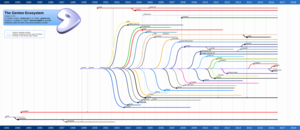
Finally, for those who are wondering, the "Gentoo Ecosystem" poster from our table can be downloaded as PDF here. It is based on work by Daniel Robbins and mitzip from Funtoo; the source files are available on Github. Of course this poster is continous work in progress, so tell me if you find something missing!

Thursday, May 26, 2016

Akonadi for e-mail needs to die

So, I'm officially giving up on kmail2 (i.e., the Akonadi-based version of kmail) on the last one of my PCs now. I have tried hard and put in a lot of effort to get it working. However, it costs me a significant amount of time and effort just to be able to receive and read e-mail - meaning hanging IMAP resources every few minutes, the feared "Multiple merge candidates" bug popping up again and again, and other surprise events. That is plainly not acceptable in the workplace, where I need to rely on e-mail as means of communication. By leaving kmail2 I seem to be following many many other people... Even dedicated KDE enthusiasts that I know have by now migrated to Trojita or Thunderbird.

My conclusion after all these years, based on my personal experience, is that the usage of Akonadi for e-mail is a failed experiment. It was a nice idea in theory, and may work fine for some people. I am certain that a lot of effort has been put into improving it, I applaud the developers of both kmail and Akonadi for their tenaciousness and vision and definitely thank them for their work. Sadly, however, if something doesn't become robust and error-tolerant after over 5 (five) years of continuous development effort, the question pops up whether the initial architectural idea wasn't a bad one in the first place - in particular in terms of unhandleable complexity.

I am not sure why precisely in my case things turn out so badly. One possible candidate is the university mail server that I'm stuck with, running Novell Groupwise. I've seen rather odd behaviour in the IMAP replies in the past there. That said, there's the robustness principle for software to consider, and even if Groupwise were to do silly things, other IMAP clients seem to get along with it fine.

Recently I've heard some rumors about a new framework called Sink (or Akonadi-Next), which seems to be currently under development... I hope it'll be less fragile, and less overcomplexified. The choice of name is not really that convincing though (where did my e-mails go again)?

Now for the question and answer session...

Question: Why do you post such negative stuff? You are only discouraging our volunteers.
Answer: Because the motto of the drowned god doesn't apply to software. What is dead should better remain dead, and not suffer continuous revival efforts while users run away and the brand is damaged. Also, I'm a volunteer myself and invest a lot of time and effort into Linux. I've been seeing the resulting fallout. It likely scared off other prospective help.

Question: Have you tried restarting Akonadi? Have you tried clearing the Akonadi cache? Have you tried starting with a fresh database?
Answer: Yes. Yes. Yes. Many times. And yes to many more things. Did I mention that I spent a lot of time with that? I'll miss the akonadiconsole window. Or maybe not.

Question: Do you think kmail2 (the Akonadi-based kmail) can be saved somehow?
Answer: Maybe. One could suggest an additional agent as replacement to the usual IMAP module. Let's call it IMAP-stupid, and mandate that it uses only a bare minimum of server features and always runs in disconnected mode... Then again, I don't know the code, and don't know if that is feasible. Also, for some people kmail2 seems to work perfectly fine.

Question: So what e-mail program will you use now?
Answer: I will use kmail. I love kmail. Precisely, I will use Pali Rohar's noakonadi fork, which is based on kdepim 4.4. It is neither perfect nor bug-free, but accesses all my e-mail accounts reliably. This is what I've been using on my home desktop all the time (never upgraded) and what I downgraded my laptop to some time ago after losing many mails.

Question: So can you recommend running this ages-old kmail1 variant?
Answer: Yes and no. Yes, because (at least in my case) it seems to get the basic job done much more reliably. Yes, because it feels a lot snappier and produces far less random surprises. No, because it is essentially unmaintained, has some bugs, and is written for KDE 4, which is slowly going away. No, because Qt5-based kmail2 has more features and does look sexier. No, because you lose the useful Akonadi integration of addressbook and calendar.
That said, here are the two bugs of kmail1 that I find most annoying right now: 1) PGP/MIME cleartext signature is broken (at random some signatures are not verified correctly and/or bad signatures are produced), and 2), only in a Qt5 / Plasma environment, attachments don't open on click anymore, but can only be saved. (Which is odd since e.g. Okular as viewer is launched but never appears on screen, and the temporary file is written but immediately disappears... need to investigate.)

Question: I have bugfixes / patches for kmail1. What should I do?
Answer: Send them!!! I'll be happy to test and forward.

Question: What will you do when Qt4 / kdelibs goes away?
Answer: Dunno. Luckily I'm involved in packaging myself. :)



Tuesday, May 24, 2016

kmail 16.04.1 and Novell Groupwise 2014 IMAP server - anyone?

Here's a brief call for help.

Is there anyone out there who uses a recent kmail (I'm running 16.04.1 since yesterday, before that it was the latest KDE4 release) with a Novell Groupwise IMAP server?

I'm trying hard, I really like kmail and would like to keep using it, but for me right now it's extremely unstable (to the point of being unusable) - and I suspect by now that the server IMAP implementation is at least partially to blame. In the past I've seen definitive broken server behaviour (like negative IMAP uids), the feared "Multiple merge candidates" keeps popping up again and again, and the IMAP resource becomes unresponsive every few minutes...

So any datapoints of other kmail plus Groupwise imap users would be very much appreciated.

For reference, the server here is Novell Groupwise 2014 R2, version 14.2.0 11.3.2016, build number 123013.

Thanks!!!

Saturday, January 30, 2016

Gentoo at FOSDEM: Posters (systemd, arches)

Especially after Lennart Poettering made some publicity for Gentoo Linux in his keynote talk (unfortunately I missed it due to other commitments :), we've had a lot of visitors at our FOSDEM booth. So, because of popular demand, here are again the files for our posters. They are based on the great "Gentoo Abducted" design by Matteo Pescarin.  Released under CC BY-SA 2.5 as the original. Enjoy!


PDF SVG


PDF SVG

Friday, January 22, 2016

Please test www-apache/mod_perl-2.0.10_pre201601

We're trying to get both Perl 5.22 and Apache 2.4 stable on Gentoo these days. One thing that would be really useful is to have a www-apache/mod_perl that works with all current Perl and Apache versions... and there's a candidate for that: a snapshot of what is hopefully going to be mod_perl-2.0.10 pretty soon. So...

Please keyword (if necessary) and test www-apache/mod_perl-2.0.10_pre201601!!! Feedback for all Perl and Apache versions is very much appreciated. Gentoo developers can directly edit our compatibility table with the results, everyone else please comment on this blog post or file bugs in case of problems!

Please always include exact www-servers/apache, dev-lang/perl, and www-apache/mod_perl versions!

Friday, November 27, 2015

Grafting history onto your Gentoo git clone

Somehow after a while I got a bit tired that my git checkout of the main Gentoo repository didn't have any real history available. So, here's how I got it back:

(Note, you may want a fast network connection for this.)
  • cd into the main directory of the Gentoo git checkout:
$ cd ~/Gentoo/gentoo
  • fetch 2GByte of converted cvs history into a new local branch "history-20150809-draft"
$ git fetch https://github.com/gentoo/gentoo-gitmig-20150809-draft.git master:history-20150809-draft
  • attach the last commit of the cvs history to the first commit of the new git era
$ echo 56bd759df1d0c750a065b8c845e93d5dfa6b549d 2ebda5cd08db6bdf193adaa6de33239a83a73af0 > .git/info/grafts
And done. :)

Should at some point in the future a new, improved (or "official") conversion of the cvs history become available, here's (untested) what to do:
  • fetch it in the same way into a new local cvs history branch, and 
  • modify the grafts file to now connect the last commit of the new local cvs history branch with the first commit of the git era. 
Once you are happy with the result, you can delete the old local cvs history branch and run "git prune", freeing up the space used by the now obsolete old conversion.

Thanks to rich0 for providing the draft conversion (though inofficial so far) and to everyone else involved.

Monday, July 20, 2015

VMware Workstation 11 and kwin - hangs and hiccups (solved?)

Since updating to VMware Workstation 11 (from the Gentoo vmware overlay), I've experienced a lot of hangs of my KDE environment whenever a virtual machine was running. Basically my system became unusable, which is bad if your workflow depends on accessing both Linux and (gasp!) Windows 7 (as guest). I first suspected a dbus timeout (doing the "stopwatch test" for 25s waits), but it seems according to some reports that this might be caused by buggy behavior in kwin (4.11.21). Sadly I haven't been able to pinpoint a specific bug report.

Now, I'm not sure if the problem is really 100% fixed, but at least now the lags are much smaller- and here's how to do it (kudos to matthewls and vrenn): 
  • Add to /etc/xorg.conf in the Device section
    Option "TripleBuffer" "True"
  • Create a file in /etc/profile.d with content
    __GL_YIELD="USLEEP"
    (yes that starts with a double underscore).
  • Log out, stop your display manager, restart it.
I'll leave it as an exercise to the reader to figure out what these settings do. (Feel free to explain it in a comment. :) No guarantees of any kind. If this kills kittens you have been warned. Cheers.

Friday, July 3, 2015

KDEPIM without Akonadi

As you know, Gentoo is all about flexibility. You can run bleeding edge code (portage, our package manager, even provides you with installation from git master KF5 and friends) or you can focus on stability and trusted code. This is why we've been offering our users for the last years KDEPIM 4.4.11.1 (the version where KMail e-mail storage was not integrated with Akonadi yet, also known as KMail1) as a drop-in replacement for the newer versions.
Recently the Nepomuk search framework has been replaced by Baloo, and after some discussion we decided that for the Nepomuk-related packages it's now time to go. Problem is, the old KDEPIM packages still depend on it via their Akonadi version. This is why - for those of our users who prefer to run KDEPIM 4.4 / KMail1 - we've decided to switch to Pali Rohár's kdepim-noakonadi fork (see also his 2013 blog post and the code).The packages are right now in the KDE overlay, but will move to the main tree after a few days of testing and be treated as an update of KDEPIM 4.4.11.1.
The fork is essentially KDEPIM 4.4 including some additional bugfixes from the KDE/4.4 git branch, with KAddressbook patched back to KDEPIM 4.3 state and references to Akonadi removed elsewhere. This is in some ways a functionality regression since the integration of e.g. different calendar types is lost, however in that version it never really worked perfectly anyway.

For now, you will still need the akonadi-server package, since kdepimlibs (outside kdepim and now at version 4.14.9) requires it to build, but you'll never need to start the Akonadi server. As a consequence, Nepomuk support can be disabled everywhere, and the Nepomuk core and client and Akonadi client packages can be removed by the package manager (--depclean, make sure to first globally disable the nepomuk useflag and rebuild accordingly).

You might ask "Why are you still doing this?"... well. I've been told Akonadi and Baloo is working very nicely, and again I've considered upgrading all my installations... but then on my work desktop where I am using newest and greatest KDE4PIM bug 338658 pops up regularly and stops syncing of important folders. I just don't have the time to pointlessly dig deep into the Akonadi database every few days. So KMail1 it is, and I'll rather spend some time occasionally picking and backporting bugfixes.